Cloud Backup & Disaster Recovery for MSPs
Protect the workloads your clients run. Back up to the same datacenter or replicate to a remote site, whichever you prefer. Restore in under a minute, and sleep easy knowing every tenant's infrastructure is covered.
You Choose the Destination
Back up to the same datacenter for fast local restores, or replicate to a remote datacenter for true off-site disaster recovery. It's your call.
Sub-Minute Failover
Disaster strikes? Your backup VM is operational in approximately one minute at the remote datacenter. No waiting, no panic.
Automated Scheduling
Set it and forget it. Daily, weekly, or monthly backups run on your schedule with automatic retention management.
Full Self-Service
Manage everything from Cloud Command. Create schedules, trigger backups, restore VMs, all from your dashboard.
How It Works
Enterprise-grade backup infrastructure, simplified into three steps.
Configure
Choose your storage tier, set your backup schedule (daily, weekly, or monthly), and configure how many backups to retain. Our smart recommendations help you pick the right package based on your VM sizes.
Protect
Backups run automatically on schedule to your chosen destination, whether same datacenter or a remote site. Monitor progress in real-time with live transfer stats.
Recover
When you need it, choose your restore method: instant failover at the remote datacenter (~1 minute) or full restore back to your original cluster. Either way, you're back online fast.
Backup Dashboard
See everything at a glance: your backup inventory, storage usage, active schedules, and job history. Color-coded quota indicators let you know exactly where you stand.
- Visual storage usage with quota warnings
- Complete backup inventory with size and status
- One-click on-demand backups for any VM
- Real-time progress with transfer speed and ETA
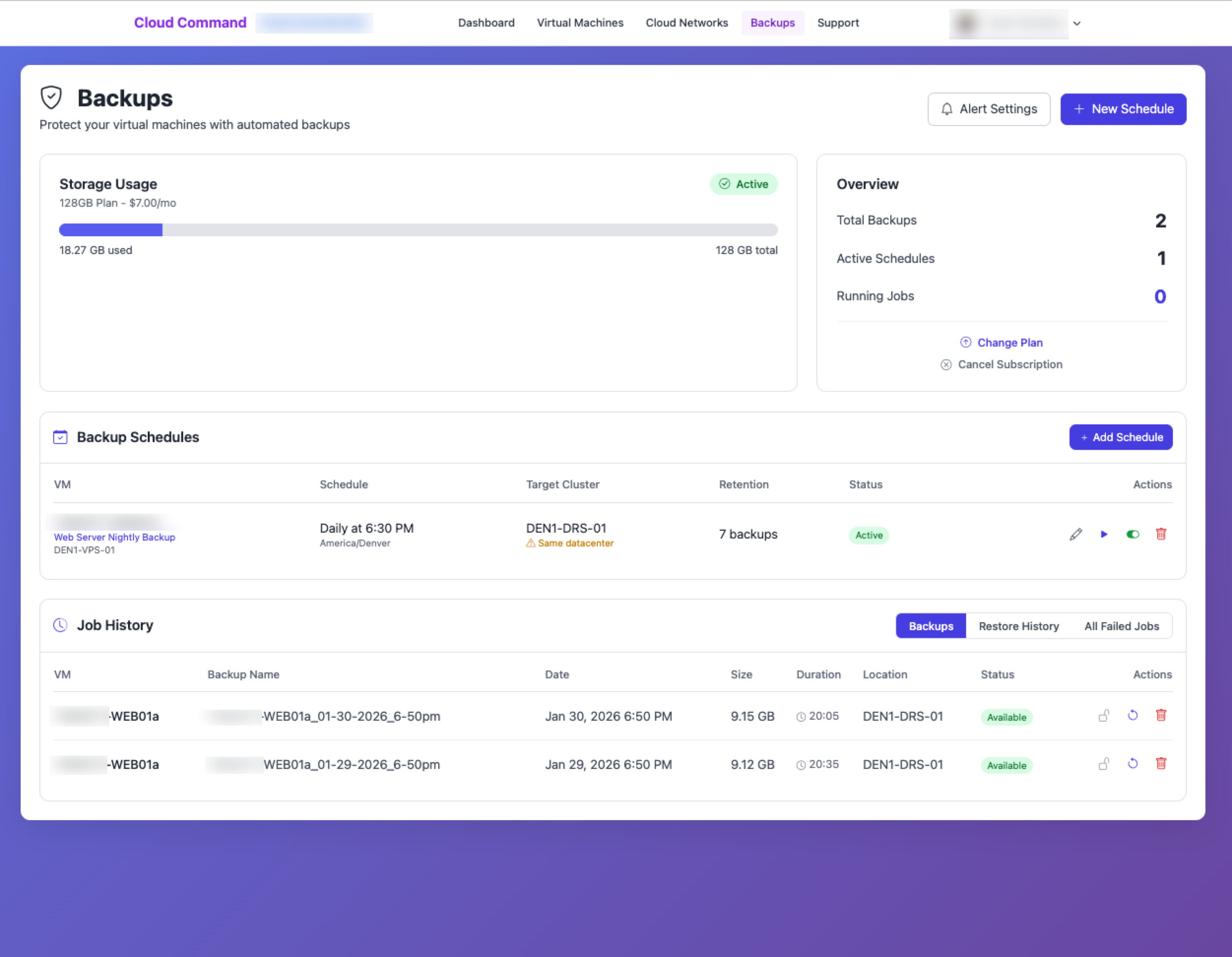
Backup Dashboard in Cloud Command
Flexible Scheduling
Create backup schedules that fit your business. Choose daily, weekly, or monthly frequency, pick your timezone, and set how many backups to keep. The system handles the rest, including automatic cleanup of old backups.
- Daily, weekly, or monthly frequencies
- Timezone-aware execution
- Configurable retention (1–30 backups per schedule)
- Automatic oldest-first cleanup
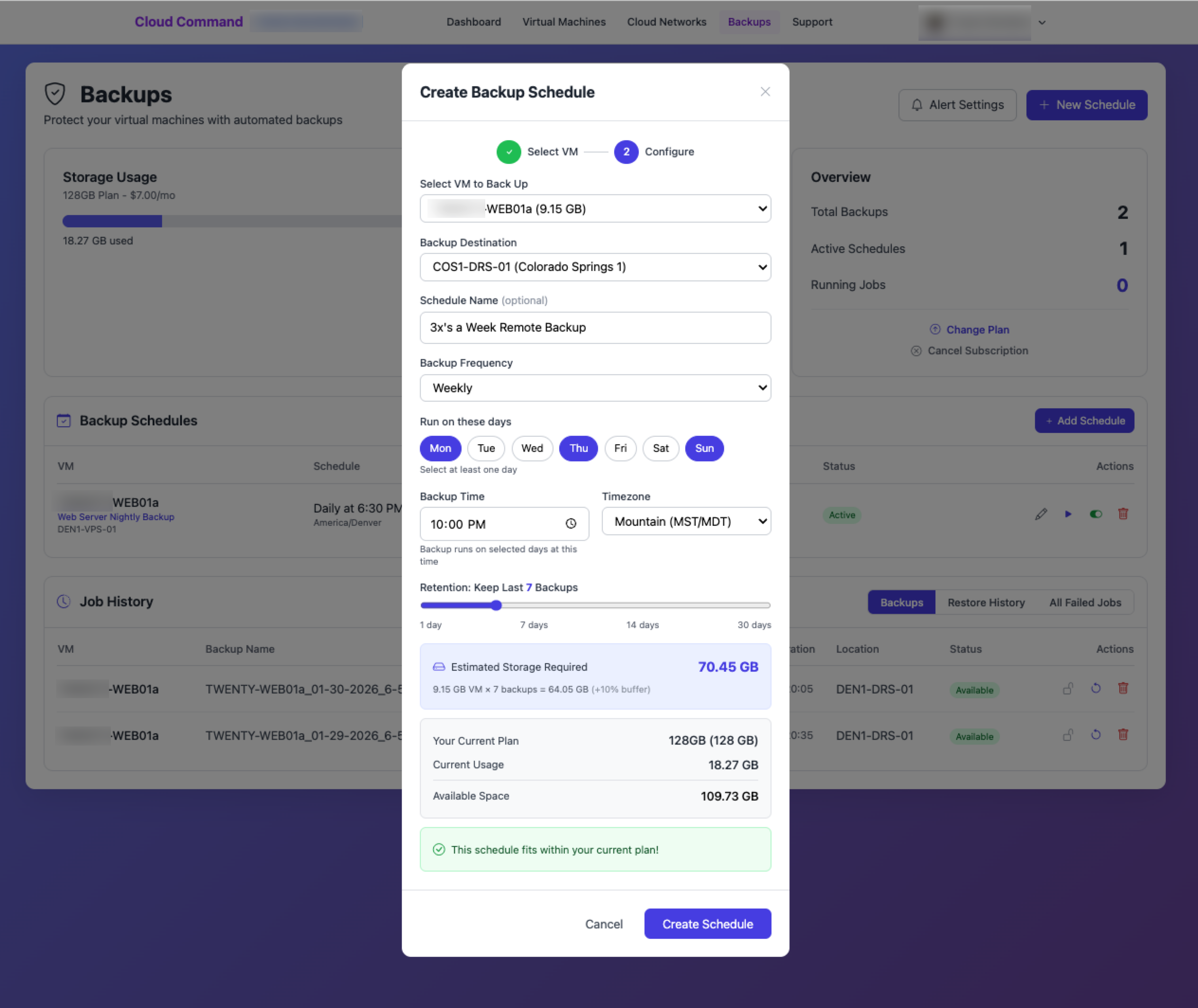
Schedule Configuration in Cloud Command
Two Ways to Restore
Choose the recovery method that fits the situation. Instant failover is available for remote-datacenter backups. Both options are managed directly from your dashboard.
Instant Failover
Run from Remote Datacenter
If your backup is stored at a remote datacenter, power it on directly at that site. You're operational in approximately one minute with automatic IP assignment. Ideal for urgent outages when every second counts.
- Sub-minute time to operational
- Automatic IP assignment
- Optional source VM shutdown to prevent conflicts
- Configurable grace period (15–60 days)
Restore to Original
Replicate Back to Your Datacenter
Full reverse replication back to your original cluster. Your VM is restored exactly where it was, with automatic IP assignment and power-on. Best for planned recovery and data restoration.
- Full replication to original cluster
- Automatic IP assignment and power-on
- Real-time transfer progress monitoring
- Commit-to-production workflow for permanent migration
Restore with Confidence
No guesswork. Our guided restore flow walks you through each step: select your backup, choose your restore method, and monitor progress in real-time with live transfer stats including speed and estimated time to completion.
- Step-by-step guided restore wizard
- Live progress with bytes transferred and speed
- Email notifications on completion
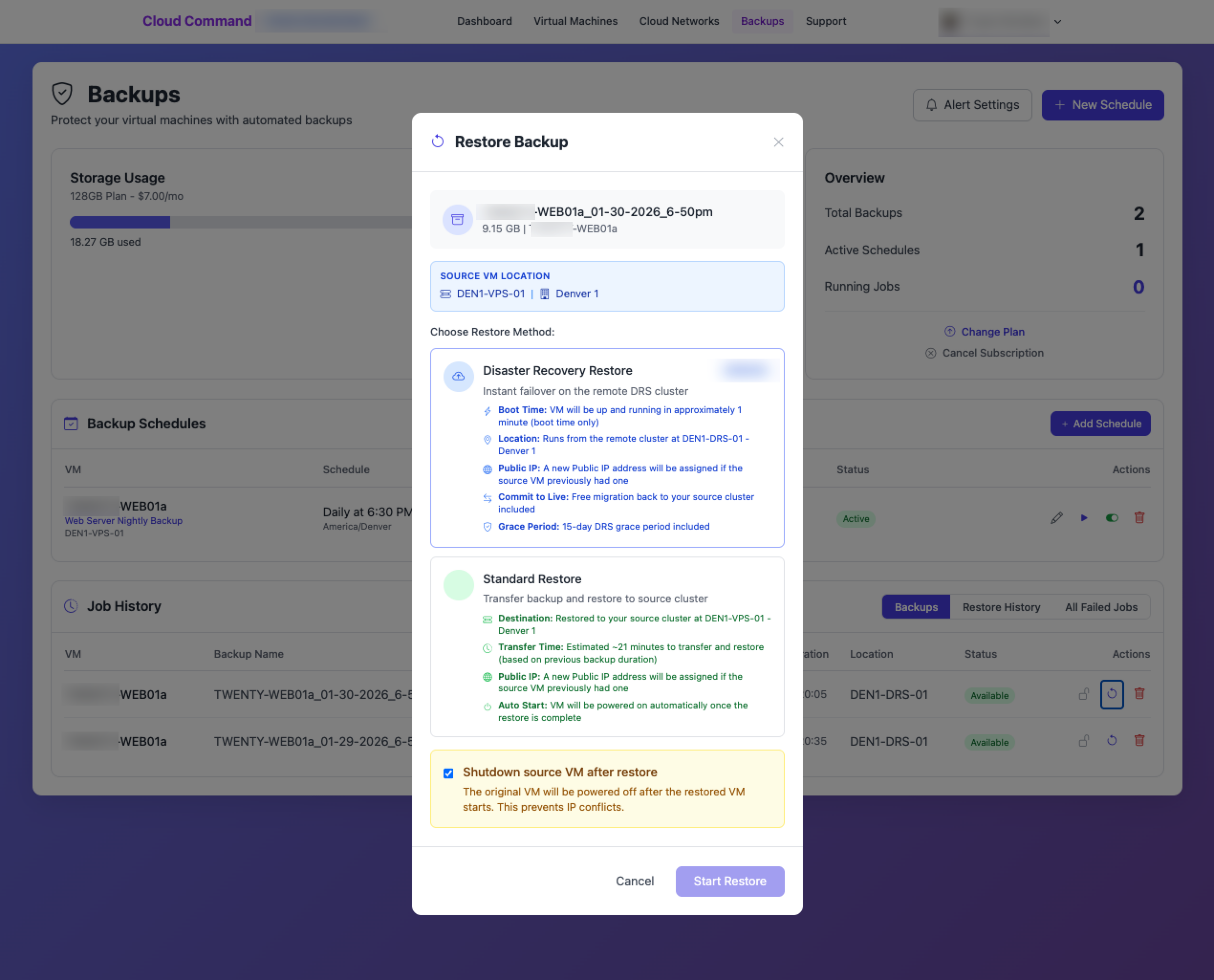
Guided Restore Flow in Cloud Command
Built-In Disaster Recovery
When you failover to a remote datacenter, our DRS system keeps you in control.
Configurable Grace Period
Choose 15, 30, 45, or 60 days to run at the failover site. Extend directly from your dashboard if you need more time.
Proactive Notifications
Automated email alerts at 3 days, 1 day, and expiration so you're never caught off guard when your grace period is ending.
Commit to Production
Ready to stay at the failover site? Our commit workflow permanently migrates your DRS VM back with all backup schedules intact.
Smart Storage & Notifications
Our intelligent quota system keeps your backups running smoothly. Get notified when storage reaches 85%, and if you hit 100%, schedules automatically pause and resume when space is freed. No manual intervention needed.
- 85% storage warning notifications
- Auto-pause at 100%, auto-resume when freed
- Smart package recommendations based on your VMs
- Weekly summary reports every Monday
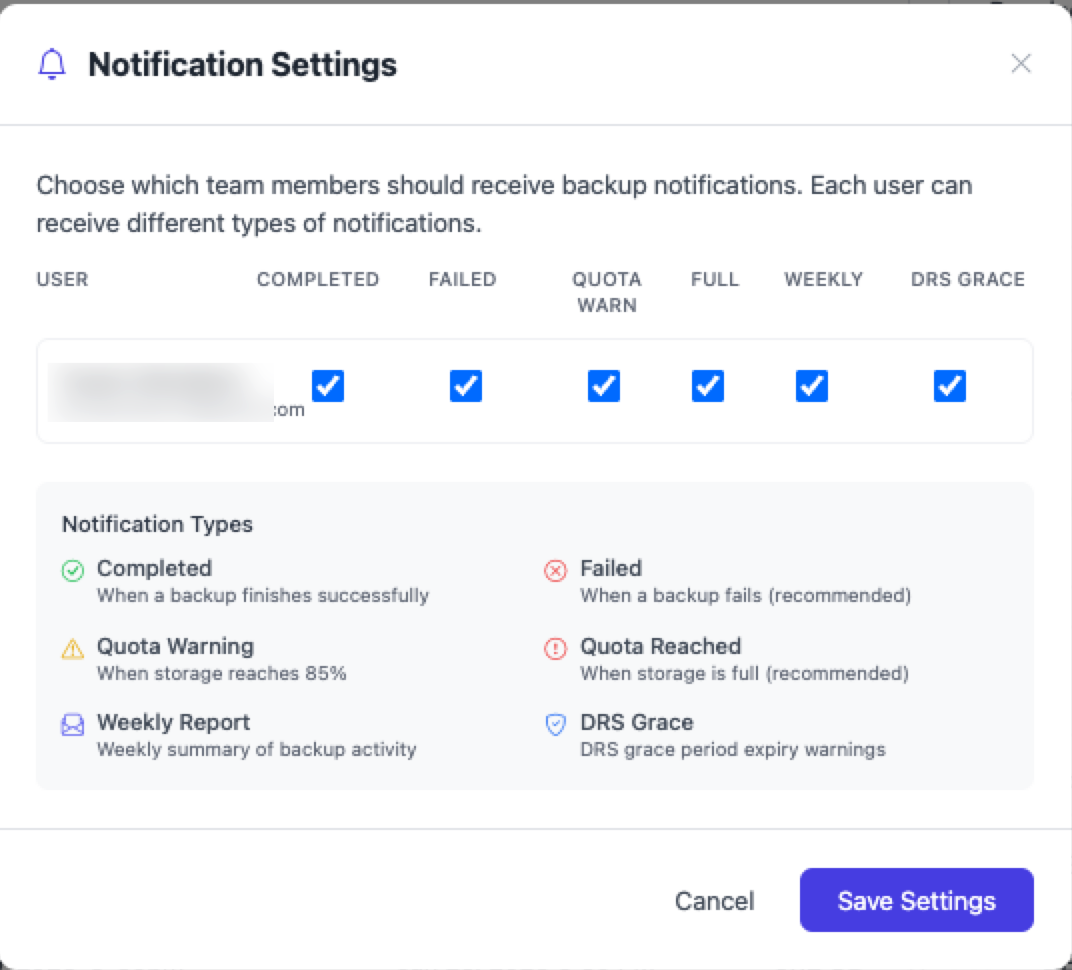
Storage Quota Management in Cloud Command
Simple, Transparent Pricing
Choose the storage tier that fits your needs. Upgrade or downgrade anytime, and billing is prorated to the day.
18 Storage Tiers
From 128 GB to 20 TB
A plan for every workloadChange Anytime
Upgrade or downgrade instantly
Plan changes are prorated to the daySmart Recommendations
Optimal tier suggested
Based on your VM sizes and retentionPartner & Reseller Ready
Offer backup services to your clients under your own brand. Our multi-tenant architecture gives MSPs and partners full control over sub-tenant management, custom resale pricing, and a single-pane-of-glass view across all accounts.
- Cross-tenant management dashboard
- Custom resale pricing per client
- Per-tenant drill-down and reporting
- All customer self-service capabilities included
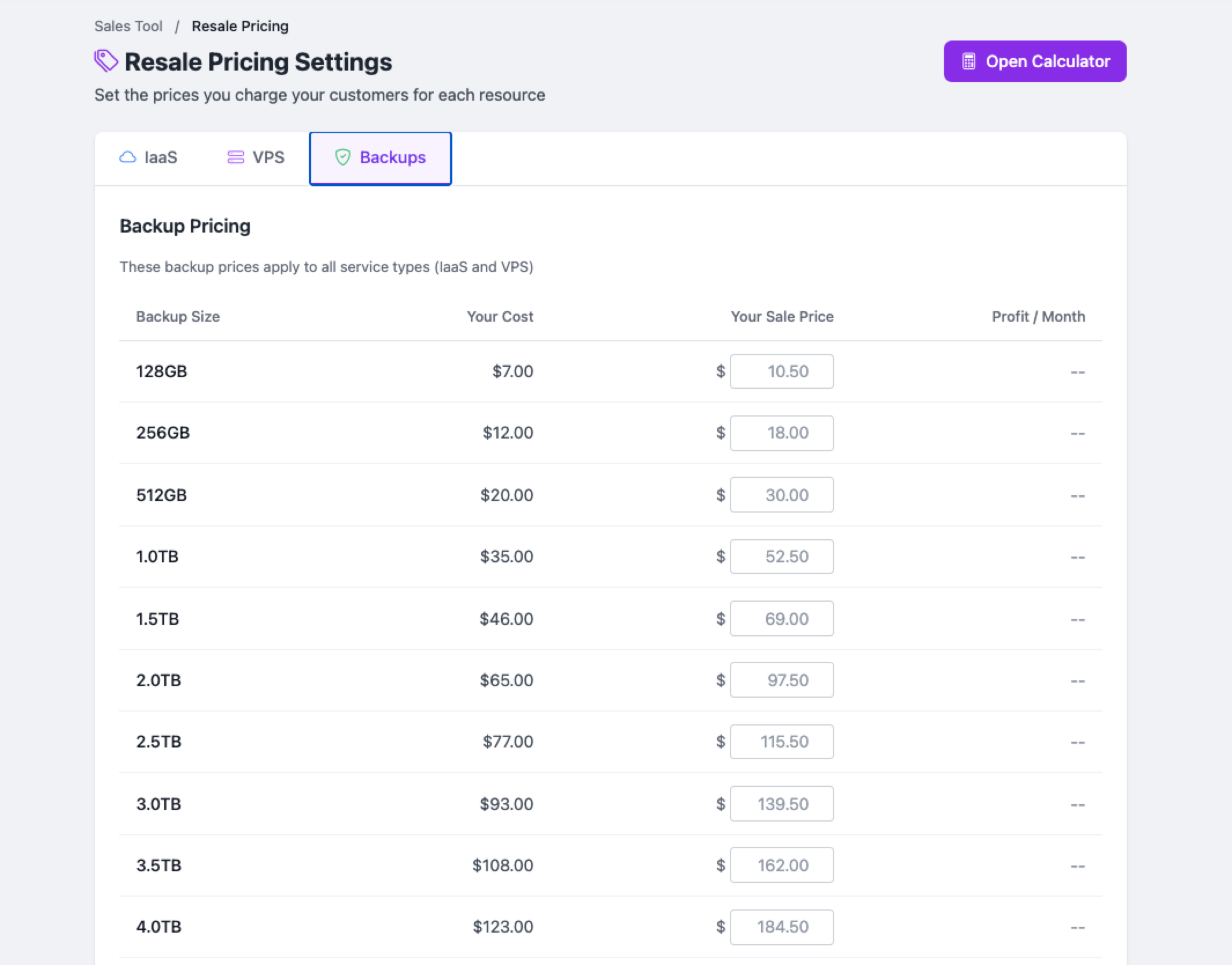
Partner Dashboard in Cloud Command
Frequently Asked Questions
You choose. Backups can be stored at the same datacenter as your source VM for fast local restores, or replicated to a remote datacenter for off-site disaster recovery protection. Either way, backups are always stored on a separate cluster from your source VM.
For backups stored at a remote datacenter, instant failover powers on your backup VM at that site in approximately one minute. An IP is automatically assigned and you're operational almost immediately.
Yes. In addition to automated schedules, you can trigger an on-demand backup for any VM at any time directly from your Cloud Command dashboard.
You'll receive a warning at 85% usage. If you reach 100%, backup schedules are automatically paused. As soon as you free up space (by deleting old backups or upgrading your tier), schedules automatically resume. No manual intervention required.
Absolutely. You can upgrade or downgrade at any time. All changes are prorated to the day, so you only pay for what you use. We even show you a proration preview before you commit.
You'll get notifications for backup completions, failures, quota warnings, restore progress, and DRS grace period reminders. Plus a weekly summary report every Monday with your backup stats. All notifications are configurable per user.
Protect Your Infrastructure Today
Flexible backup destinations with sub-minute disaster recovery. Get started in minutes.